


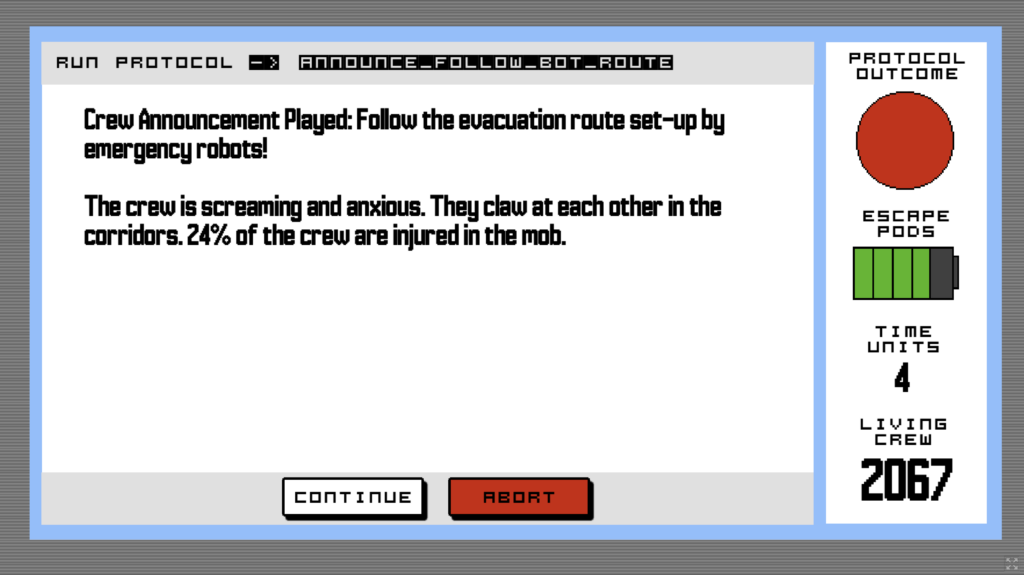
My studio Doborog had another game jam! This time, I designed a puzzle game called Space Station Self-Destruct Simulator. The final exam for your Space Station Engineering class requires you to build an evacuation procedure for the residents of a virtual station. Put safety protocols in the right order to save as many lives as possible. Your space degree depends on it!!
I gave the game a 90s Mac shareware / HyperCard vibe…
💥 Play Space Station Self-Destruct Simulator on Itch! 💥
The project gave me the chance to design something I’ve been thinking about for a while now: a “narrative marble shoot.” In a marble shoot, you let the marble go and watch as it bounces and whirls through all the elements you set-up, like bumpers and the little wheel that always breaks when multiple marbles try to go through it. In a narrative marble shoot, the player makes a bunch of choices at the beginning of the experience, setting up the virtual obstacles, then watches how all their choices play out one after the other. That’s in contrast to the classic Choose Your Own Adventure style narrative with intermittent prompts to branch the experience.
I’ve got a lot more to say about the game’s development in the next two newsletters, but I want to give you a chance to play it before I blab about it. Space Station Self-Destruct Simulator is free to play on Itch in browser! I’d love your thoughts. Comments here or on Itch are very welcome.
6 responses to “Space Station Self-Destruct Simulator”
Sadly the game doesn’t seem to like my iPad and doesn’t properly adjust to my browser window. I’m stuck seeing only about a quarter of the game screen which renders it unplayable. No clue if it’s a game issue or an Itch issue. Weird tech stuff that happens to literally nobody else is quite commonplace for me so it also very well could be just a me issue too.
Sorry about that! I just tweaked some settings to make it more mobile friendly. I was able to get it working on my iPhone in landscape mode. If you can clear the cache on your iPad browser, you can try again. Admittedly, the computer is still going to be the best experience.
I cleared the cache, but it’s still not displaying right though I see a bit more than before. Whenever I made websites for clients I would always use percentages instead of set pixel amounts for tables, images, etc to account for varying browser sizes. I feel like that’s the problem here, but I’m not sure if that’s your game’s coding or Itch’s website coding that’s to blame. Possibly a bit of both.
If I had a way to scroll the screen I could manage, but it’s locked which is unusual. Typically, if something is too big for the browser window to display it automatically allows scrolling so there’s coding somewhere preventing that, likely on Itch’s side as it’s their website.
No worries if you can’t fix it. I’ll get around to booting up my pc soon and give it a try there. Poor thing has been a tad neglected now that I no longer do freelance graphic design work.
Yes, the issue is that Itch only allows me to make the game window a set pixel dimension, and I guess the pixel dimension I chose isn’t compatible with iPad. (Though it does work well on my iPhone.) I’ll keep this in mind for future projects.
I made one more change! I checked the option to add scrollbars in case the screen gets cut-off. If that doesn’t work, then yeah, I’ll look forward to you reconnecting with your estranged PC.
Still doesn’t want to work with my iPad, but it’s working now with my iPhone. Managed to save 93% and pass. Very fun simulator as expected, but dang my tiny phone screen did not make it easy to play. I will try it on my pc this weekend as well.
I couldn’t ask for a more diligent playtester. 🙏 Glad you got it to work on a device – and did so well! I wonder if you’ll get 100% on the PC…